

Your team is out in the field—drivers on their routes, security guards on patrol, technicians on service calls. You’re back at the office. You can’t be everywhere at once. Or can you? Welcome to the world of the modern radio dispatch system. This is far more than just a microphone on a desk; it’s a powerful software-based hub that serves as your team’s virtual command and control center.
The Evolution of the Dispatcher: From Desk Mic to a Software Dispatch Console
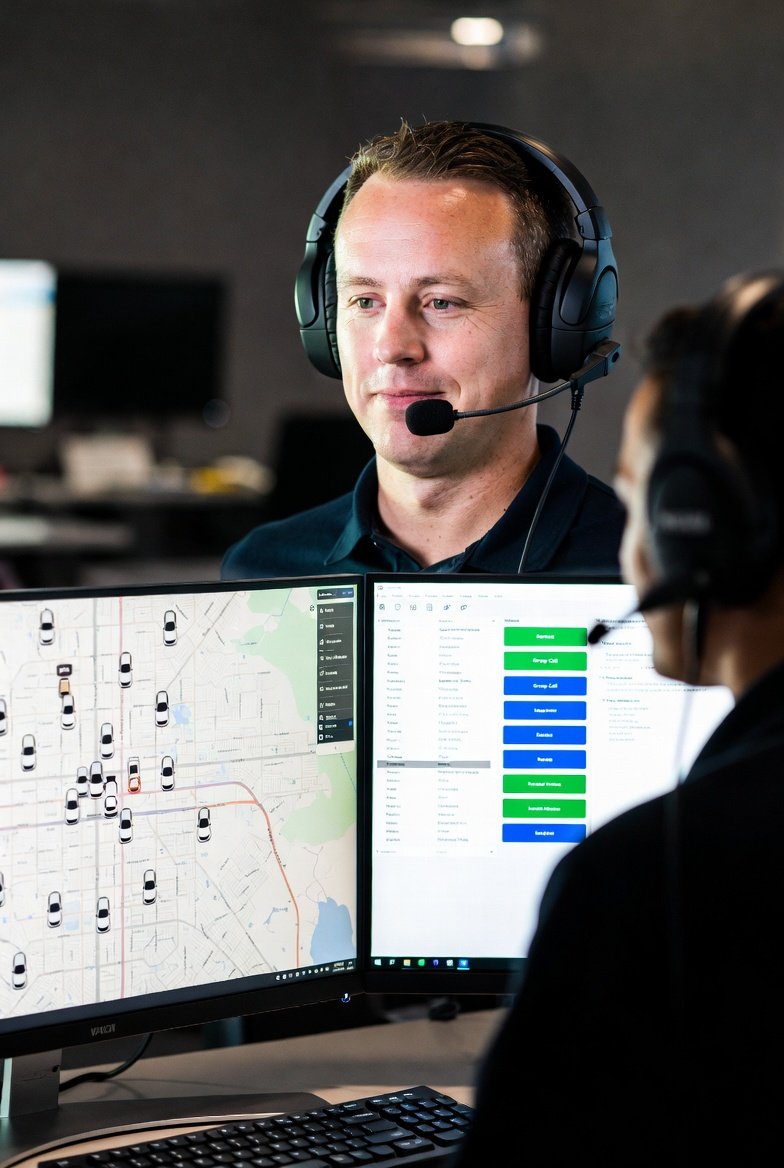
Traditionally, a dispatcher was simply someone with a powerful base station radio. Today, a professional dispatch console is a sophisticated piece of software that runs on a standard PC. It transforms a chaotic mix of voice calls into an organized, visual, and data-rich operation, giving you unprecedented control over your mobile workforce.
The 5 Core Functions of a Modern Dispatch Console
A professional dispatch platform integrates multiple functions into one seamless interface.
1. Advanced Voice Control: Private Calls, Group Calls, and Remote Monitoring
Go beyond simple group chat. A dispatcher can make a private call to a single user, create a temporary new talk group on the fly, make an “All-Call” announcement to everyone, and even remotely activate a radio’s microphone to monitor a situation in an emergency.
2. GPS Fleet Tracking: Live Maps, Route History, and Geofencing
This is the game-changer for any mobile team.
-
Live Maps: See the real-time location of every radio user on a map.
-
Route History: Review where a vehicle has been to verify service calls or optimize routes.
-
Geofencing: Create virtual boundaries and receive automatic alerts when a user enters or leaves a specific area.
3. Text & Data Messaging: Send Work Orders and Status Updates
Reduce verbal errors by sending critical information like addresses, job numbers, or contact details via text directly to the radio’s screen. Drivers can also send back pre-programmed status updates (“On-site,” “Job Complete”) with a single button press.
4. Emergency Management: Receive Alarms and Pinpoint Locations
When a worker in the field presses their radio’s emergency button, an alarm instantly appears on the dispatcher’s screen, identifying the user and, if equipped with GPS, showing their exact location for a rapid response.
5. Remote Radio Control: Stun a Lost Radio or Revive It
If a radio is lost or stolen, the dispatcher can remotely “stun” (disable) it, rendering it useless to unauthorized users. If the radio is found, it can be remotely “revived.”
The Technology Behind the Power: Why DMR Dispatch Software and PoC Excel
These advanced features are made possible by digital radio technology.
-
The Digital Backbone: Digital Mobile Radio (DMR) has data capabilities built-in, allowing it to seamlessly transmit GPS coordinates, text messages, and remote commands alongside crystal-clear voice. This is why specialized DMR dispatch software is so powerful.
-
Native Integration: Push-to-Talk over Cellular (PoC) radios naturally integrate with web-based dispatch platforms, making them perfect for nationwide gps fleet tracking and management.
Dispatch in Action: Real-World Industry Examples
-
For Logistics: A dispatcher uses gps fleet tracking to see a traffic jam ahead and re-routes a driver via a text message with the new directions, all while coordinating the next pickup with another driver.
-
For Taxi Services: The era of shouting addresses over the air is over. A dispatcher can see the closest available car on the map and send the fare details directly to the driver’s screen.
-
For Security: A security dispatcher at a university receives a panic alarm from a guard. They instantly see the guard’s location on the campus map, dispatch the nearest backup officers via a private call, and can remotely monitor the audio from the scene.
Stop Just Talking. Start Commanding Your Operation.
A professional radio dispatch system elevates your two-way radio investment from a simple communication tool to a strategic management asset. It provides the visibility, data, and control you need to run a safer, more efficient, and more profitable operation.
FAQ: Your Top Dispatch System Questions
What hardware do I need at my dispatch office?
All you need is a standard Windows PC, a reliable internet connection, and a desktop microphone. The software handles the rest. A base station radio may be required to connect to a local DMR system.
Is dispatch software a one-time purchase or a subscription?
It varies by platform. Some offer a one-time license fee, while many modern platforms, especially for PoC, operate on an annual subscription model per radio unit.
Can your dispatch software work with radios from other brands?
As long as the radios adhere to the standardized DMR or PoC protocols, our recommended dispatch software solutions are typically compatible, offering great flexibility.
Do all your DMR and PoC radios support these dispatch features?
Most of our advanced models do. Features like GPS are sometimes optional, so it’s important to select a radio model that is equipped for the specific dispatch functions you need. To build the right system, it’s best to contact our system integration experts. Ready to explore the hardware? Check out our advanced DMR and PoC radios.
Your team is out in the field—drivers on their routes, security guards on patrol, technicians on service calls. You’re back at the office. You can’t be everywhere at once. Or can you? Welcome to the world of the modern radio dispatch system. This is far more than just a microphone on a desk; it’s a powerful software-based hub that serves as your team’s virtual command and control center.
The Evolution of the Dispatcher: From Desk Mic to a Software Dispatch Console
Traditionally, a dispatcher was simply someone with a powerful base station radio. Today, a professional dispatch console is a sophisticated piece of software that runs on a standard PC. It transforms a chaotic mix of voice calls into an organized, visual, and data-rich operation, giving you unprecedented control over your mobile workforce.
The 5 Core Functions of a Modern Dispatch Console
A professional dispatch platform integrates multiple functions into one seamless interface.
1. Advanced Voice Control: Private Calls, Group Calls, and Remote Monitoring
Go beyond simple group chat. A dispatcher can make a private call to a single user, create a temporary new talk group on the fly, make an “All-Call” announcement to everyone, and even remotely activate a radio’s microphone to monitor a situation in an emergency.
2. GPS Fleet Tracking: Live Maps, Route History, and Geofencing
This is the game-changer for any mobile team.
-
Live Maps: See the real-time location of every radio user on a map.
-
Route History: Review where a vehicle has been to verify service calls or optimize routes.
-
Geofencing: Create virtual boundaries and receive automatic alerts when a user enters or leaves a specific area.
3. Text & Data Messaging: Send Work Orders and Status Updates
Reduce verbal errors by sending critical information like addresses, job numbers, or contact details via text directly to the radio’s screen. Drivers can also send back pre-programmed status updates (“On-site,” “Job Complete”) with a single button press.
4. Emergency Management: Receive Alarms and Pinpoint Locations
When a worker in the field presses their radio’s emergency button, an alarm instantly appears on the dispatcher’s screen, identifying the user and, if equipped with GPS, showing their exact location for a rapid response.
5. Remote Radio Control: Stun a Lost Radio or Revive It
If a radio is lost or stolen, the dispatcher can remotely “stun” (disable) it, rendering it useless to unauthorized users. If the radio is found, it can be remotely “revived.”
The Technology Behind the Power: Why DMR Dispatch Software and PoC Excel
These advanced features are made possible by digital radio technology.
-
The Digital Backbone: Digital Mobile Radio (DMR) has data capabilities built-in, allowing it to seamlessly transmit GPS coordinates, text messages, and remote commands alongside crystal-clear voice. This is why specialized DMR dispatch software is so powerful.
-
Native Integration: Push-to-Talk over Cellular (PoC) radios naturally integrate with web-based dispatch platforms, making them perfect for nationwide gps fleet tracking and management.
Dispatch in Action: Real-World Industry Examples
-
For Logistics: A dispatcher uses gps fleet tracking to see a traffic jam ahead and re-routes a driver via a text message with the new directions, all while coordinating the next pickup with another driver.
-
For Taxi Services: The era of shouting addresses over the air is over. A dispatcher can see the closest available car on the map and send the fare details directly to the driver’s screen.
-
For Security: A security dispatcher at a university receives a panic alarm from a guard. They instantly see the guard’s location on the campus map, dispatch the nearest backup officers via a private call, and can remotely monitor the audio from the scene.
Stop Just Talking. Start Commanding Your Operation.
A professional radio dispatch system elevates your two-way radio investment from a simple communication tool to a strategic management asset. It provides the visibility, data, and control you need to run a safer, more efficient, and more profitable operation.
FAQ: Your Top Dispatch System Questions
What hardware do I need at my dispatch office?
All you need is a standard Windows PC, a reliable internet connection, and a desktop microphone. The software handles the rest. A base station radio may be required to connect to a local DMR system.
Is dispatch software a one-time purchase or a subscription?
It varies by platform. Some offer a one-time license fee, while many modern platforms, especially for PoC, operate on an annual subscription model per radio unit.
Can your dispatch software work with radios from other brands?
As long as the radios adhere to the standardized DMR or PoC protocols, our recommended dispatch software solutions are typically compatible, offering great flexibility.
Do all your DMR and PoC radios support these dispatch features?
Most of our advanced models do. Features like GPS are sometimes optional, so it’s important to select a radio model that is equipped for the specific dispatch functions you need. To build the right system, it’s best to contact our system integration experts. Ready to explore the hardware? Check out our advanced DMR and PoC radios.